








 Flashlight
 Solar
Extension Cable
Solar
Extension Cable


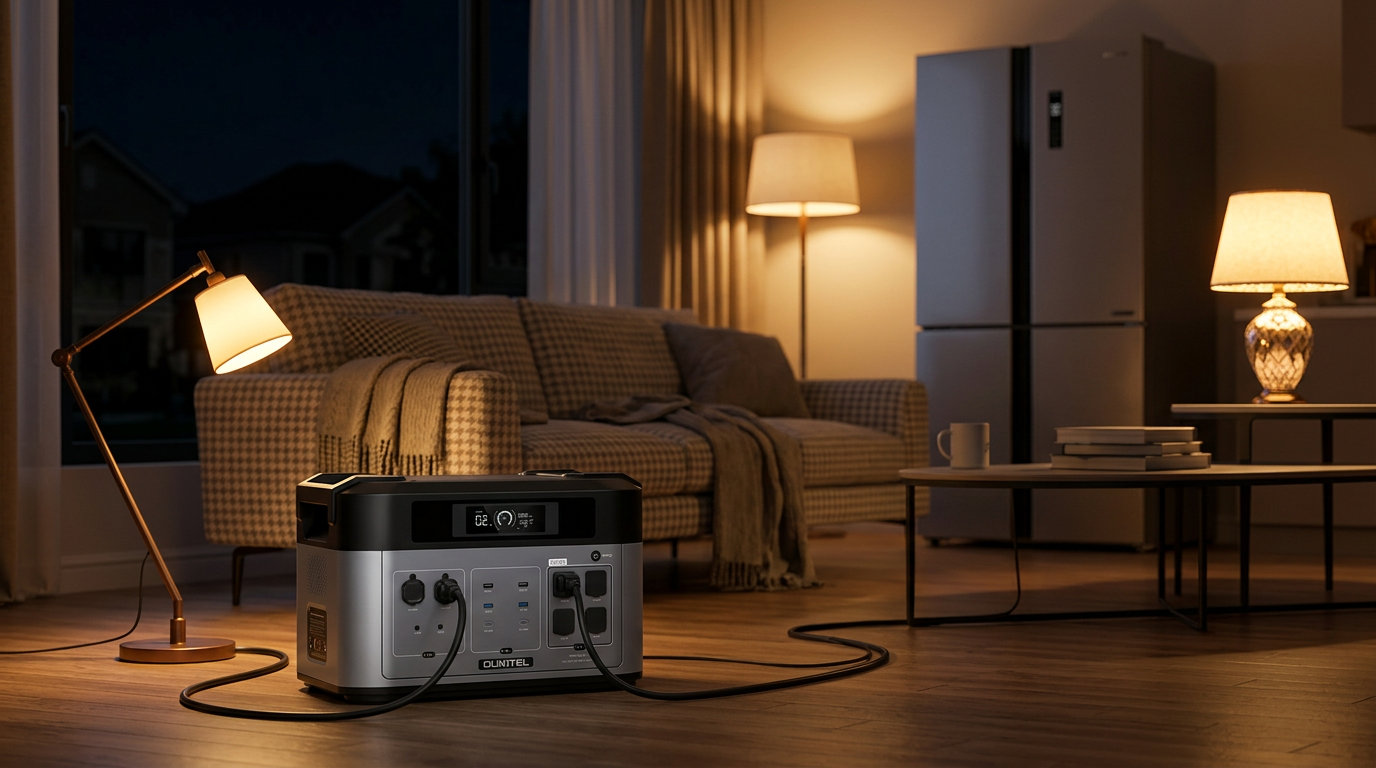
Best Portable Power Stations for Home Backup 2026 Guide
The best home backup station matches the loads you need during an outage, not the biggest battery on the shelf. Three things have to work together. The inverter needs enough continuous output for what you plug in. The battery needs enough watt-hours for the hours you want. And the chemistry has to be stable indoors. Cover those and the rest falls into place.
Outages are also lasting longer now. Across 2024, the average U.S. household went without power for about 11 hours, nearly twice the yearly average of the previous decade, with big storms accounting for most of the rise.
That makes choosing the right-sized home backup power station more important, since a battery that only covers a few hours may fall short during longer outages. A couple of hours of backup no longer match what people actually face.
This guide is a decision framework, not a ranked list. We sell power stations, so treat that as a disclosure. The aim is to help you buy the right size and skip the two mistakes that sink most first purchases: too little inverter output, or a battery too heavy to move when it matters.
 [IMAGE: Alt: Portable power station for home backup with expansion battery and solar panel connected during a power outage | 16:9]
What Is a Portable Power Station and How Does It Work?
Strip a portable power station down, and it is really three parts working together.
- A battery that stores electricity as direct current
- An inverter that converts the DC into the alternating current your appliances run on
- A set of outlets you plug straight into
The result feels like grid power, only there is no engine turning, no fuel to buy, and nothing venting exhaust into the room.
You will find three output types on most units, which keep adapters out of the picture.
The common port types:
- AC outlets for full-size appliances like fridges, fans, and kettles
- USB-A and USB-C for phones, tablets, and laptops
- 12V DC and car-style sockets for pumps, coolers, and RV gear
Three recharge routes exist, and which one you reach for is a question of timing:
- Wall power, the fastest, for topping off before a storm hits
- Solar, for keeping the battery fed across a multi-day outage
- The car socket, for the times you are on the road with nothing else
Once the grid drops, a charged unit hands over its stored power on the spot. How long it lasts is a function of capacity, the load you put on it, and how efficiently the inverter runs.
Portable Power Station vs Gas Generator for Home Backup
Both keep the lights on, but they get there by opposite routes. The table below lays out where each one fits.
Battery station vs gas generator at a glance
|
Factor |
Battery power station |
Gas generator |
|
How does it make power |
Draws from stored energy plus any solar |
Burns fuel on demand while it runs |
|
Best at |
Essential loads for hours to a day or two |
Very high loads over long stretches |
|
Where it lives |
Indoors, even a hallway closet |
Outdoors, with ventilation |
|
Upkeep |
Charge it and go, no fumes or noise |
Store and rotate fuel, tolerate the noise |
So neither wins outright. Duration and load decide it. For a fuller comparison, see our home backup generator types and sizes guide. For most households riding out outages under a day or two on essential loads, a battery station is the cleaner, quieter tool, and it works indoors where a fuel generator never should.
How to Choose the Best Portable Power Station for Home Backup
A list beats a spec sheet every time. Write out what genuinely has to stay on through a blackout, pencil a rough wattage beside each item, and decide the hours you need from them. That short exercise hands you the two figures that count and keeps you from buying capacity that just sits idle.
Two households can need completely different units. A studio protecting a router and a phone is a different problem from a family keeping a fridge, a freezer, and a CPAP alive through a two-day storm. Size to your list.
Start With What You Need to Power During an Outage
Group your devices by how hungry they are. Essentials draw the least and matter the most. These are what keep you connected, lit, and safe.
Essential devices, low draw:
- Phones and tablets
- Wi-Fi router and modem
- LED lights
- Laptops
- Medical devices like a CPAP
Important appliances cost more energy but sit near the top of most outage lists. A refrigerator is the classic case. It does not run constantly, yet its compressor demands a brief surge on startup and steady watt-hours across the day.
Important appliances, medium draw:
- Refrigerator and freezer
- Fans and ceiling fans
- Heating system controls and thermostats
- Modem, router, and a small work setup
High-demand appliances are where small units fail. Space heaters, electric stoves, window air conditioners, and clothes dryers pull heavy continuous wattage and can exceed a modest inverter outright. According to the DOE appliance energy reference, a single space heater can draw around 1,500 watts on its own. Check the device rating against the station's continuous output before you ever plug in.
High-demand appliances, heavy draw:
- Space heaters and electric heating
- Electric stoves and ovens
- Window and portable air conditioners
- Clothes dryers
Understand Watts vs Watt-Hours
 When choosing a portable power station for home backup, watts and watt-hours answer two different questions: can the unit run your appliances, and how long can it keep them running? Understanding the difference helps you choose a station that matches both your power needs and outage duration.
Here is the split in plain terms:
- Watts are the door. They decide whether a unit can power a device at all, and if you come up short, it never starts.
- Watt-hours are the timer. Once the device is running, they decide how long it stays on.
Picture a fridge to see why both numbers count. A compressor draws well above its running wattage the moment it starts, and the inverter has to absorb that spike or the fridge never kicks on. Once the spike passes, watt-hours take over and set how long it stays cold. Two things matter at the same time here. Enough output to start it. Enough stored energy to keep it running.
Consider Battery Capacity and Runtime
Capacity is the headline number. It is also where marketing does the most work. More watt-hours mean more runtime, in theory. Real life shaves some off.
Some of that energy vanishes in the DC-to-AC conversion, and temperature, load, and battery age all tug at the number. For planning, we use a simple runtime estimate: watt-hours × 0.85 ÷ load in watts. This gives a practical estimate for typical home backup loads like refrigerators, routers, and lights, accounting for some energy lost during conversion. Worked on a 2,048Wh unit running a 150W fridge, that comes out to near 11 to 12 hours, a fair bit under the 13-plus you would get from dividing straight across.
Rough capacity tiers by job:
- Around 1,000Wh handles electronics, lights, and phone charging for a day
- Roughly 2,000Wh sustains a fridge plus routers and lights through most single-day outages
- 5,000Wh and up, or expandable systems, cover multi-day outages and several appliances at once
Plan for a realistic runtime, not the largest watt-hour figure on the page. If you want a deeper breakdown of refrigerator and freezer runtime calculations, see our guide on solar generator sizing for refrigerators and freezers.
Check Maximum Output and Surge Power
Capacity is only half of it. Whatever you plug in still needs an inverter strong enough to drive it, and that comes down to reading two output figures instead of one.
Plenty of appliances grab a quick jolt of extra power right as they turn on. Anything with a compressor or motor is a repeat culprit.
Common surge offenders:
- Refrigerator and freezer compressors
- Water and sump pumps
- Power tools with electric motors
- Air conditioner compressors
Two ratings tell the story. One is the steady output the inverter holds all day; the other is the brief surge it can absorb at the moment something switches on. Put a huge battery behind a weak inverter, and that first jolt still defeats it. Our BP2000 shows the pairing done right: 2,200W of steady output backed by 4,000W of surge headroom, which is what lets it kick a fridge compressor over and then hold it steady. Match the surge figure to your hardest-starting device before anything else.
Choosing the Right Size Portable Power Station for Your Home
 Home backup falls into three tiers by capacity and purpose. Find where your device list lands, and you have narrowed the field fast.
Small Portable Power Stations for Home Backup Essentials
Units in this class are built for short outages and pinpoint power. Their remit is staying connected and keeping a light on, not running a kitchen. In exchange, you get something light to carry, simple to store, and gentle on the budget.
A unit this size is happiest keeping phones, tablets, laptops, LED lights, and small electronics alive. Ask it to run a full-size fridge for hours, drive a heater, or handle several big devices together, and it will fall short. The P1000 Plus is our entry here at 1,024Wh and 1,800W. At around 26 pounds, you can carry it from room to room or throw it in the car for a campsite.
Medium Capacity Home Backup Power Stations for Most Homeowners
This is the sweet spot for most households. Enough energy to protect the essentials without the weight or cost of an industrial system. It is the tier we point most home-backup buyers toward first.
The medium tier is where a full-size refrigerator joins routers, modems, lights, fans, and a CPAP without strain. Its appeal is balance. You get runtime that lasts, a body small enough to live in a closet, and a recharge counted in hours rather than days.
Anchoring our range is the BP2000, at 2,048Wh and 2,200W continuous, back to 80 percent in roughly 1.5 hours on AC. Loads that run heavier, a space heater sharing the circuit with the fridge, point you to the BP2000 Pro, which holds 3,300W continuous on that same 2,048Wh base. Grid drops register on neither: both cut over to backup inside 10 milliseconds, fast enough that a desktop or CPAP keeps humming.
Home backup portable power station output at a glance. Compare capacity, continuous output, and surge capability to see which system fits different household loads.
|
Model |
Capacity (Wh) |
Continuous output (W) |
Surge / Notes |
|
BP2000 |
2,048Wh LiFePO4 |
2,200W |
4,000W surge, expandable to 16,384Wh |
|
BP2000 Pro |
2,048Wh LiFePO4 |
3,300W |
For heavier combos, the same expansion path |
Large Capacity Expandable Home Backup Power Systems
When a short outage turns into a multi-day event, or the house is large, this tier earns its keep. Homeowners in areas with frequent severe weather or an unreliable grid should look here.
These systems run multiple heavy appliances, stretch across days, and support battery expansion through add-on packs. Many also connect through a manual or automatic transfer switch to feed selected home circuits directly. Our P5000 Pro represents this tier at 5,120Wh and 3,600W continuous, with a 7,200W surge and a LiFePO4 pack rated for 5,000 cycles. One trade-off is honest to state: at about 117 pounds, it is a semi-permanent fixture on wheels, not something you carry to a campsite.
Expandability is the quieter advantage across our range. Both BP2000 units scale up to 16,384Wh by adding B2000 packs, so you can start at a single unit and grow the system as your needs, or your outages, get bigger.
Key Features That Matter for Home Backup
Capacity tells you how much energy a unit holds. Features decide how reliably and quickly you can use it when the lights go out. Four matter most.
LiFePO4 Battery Technology
Lithium iron phosphate, or LiFePO4, has become the go-to chemistry for home backup, and the reasons stack up. It stays cooler under load than older lithium-ion, and its lifespan runs far longer, commonly several thousand charge cycles.
That thermal stability is also the whole reason a battery like this can sit safely indoors. Across this guide, every OUKITEL station uses it: 3,500-plus cycles on the BP2000 line, 5,000 on the P5000 Pro. Since chemistry ends up dictating lifespan, weight, and price all at once, it is the first spec worth checking rather than an afterthought.
Solar Charging Capability
 During a long grid failure, the ability to harvest sunlight turns a battery into a system. A few realities keep expectations honest.
Panel output depends on weather, angle, and daylight hours, and every unit has a solar input ceiling. Our stations accept up to 1,000W through an MPPT controller and pair with our solar panels for home backup in a folding kit. Solar extends runtime during an extended blackout. It does not create unlimited power, so budget carefully on cloudy days.
Fast Charging and Recharge Speed
Recharge speed is a safety feature when storms come back-to-back. The faster a unit refills, the sooner you are ready for the next hit.
What to look for:
- Rapid AC charging from a standard wall outlet before a storm
- High-wattage solar input for daytime top-ups
- Car charging as a fallback on the road
- Dual AC-plus-solar charging to cut total time
As a benchmark, our BP2000 reaches 80 percent in roughly 1.5 hours on AC alone, or about an hour with AC and solar combined. That is the difference between a unit ready for tonight and one still charging when the next front rolls through.
Expandable Battery Capacity and UPS Backup
Two features quietly separate a good buy from a great one: room to grow and instant switchover. Both protect the investment.
Expandable systems let you start with a budget-friendly base unit and add storage later as needs rise, which is exactly how our BP2000 scales to 16,384Wh.
Uninterruptible power supply function, sometimes labeled EPS, matters for sensitive electronics: our units switch to backup in under 10 milliseconds, quick enough that a desktop, router, or medical device stays on without a blink. One caution, stated plainly. Not every portable station is built to replace a hardwired whole-home backup generator, and it is fair to scale expectations to the hardware.
Can a Portable Power Station Run a House?
Yes, a portable power station can run parts of a house, but it usually cannot replace a full whole-home electrical system. How much you get depends on battery capacity, inverter output, your usage habits, and which devices you choose to keep on.
For most homeowners, the job is essential loads, not every circuit. A station handles it well.
What a well-sized unit will run:
- A refrigerator and freezer
- Wi-Fi, lights, and phone charging
- Medical devices and small electronics
- Selected circuits through a transfer switch
During a blackout, most families prioritize keeping food cold, staying connected, running medical gear, and lighting the house rather than powering everything at once. The FDA notes that a closed refrigerator holds safe temperatures for only about four hours without power, which is exactly why a fridge tops so many backup lists.
What it usually will not run continuously:
- An entire home nonstop
- Central HVAC systems
- High-demand electric heating
- Several energy-intensive appliances at the same time
Central air, electric furnaces, and space heaters will empty even a big pack in short order. The variable you control is consumption. Keep it to a fridge, a router, a few lights, and small electronics, and the backup lasts far longer than it would with heavy appliances all drawing at once.
Larger and expandable systems buy extra hours, and solar tops things up through the day. What most households really want is emergency backup that keeps the essentials alive, not power for the entire home.
How to Prepare a Portable Power Station for a Power Outage
A backup unit earns its keep only if it is ready before the grid gives out. Two easy habits make sure it is.
Keep the Battery Charged
Waiting until a storm is in the forecast to check the charge leaves you behind. Store it ready to run, particularly if storms are seasonal where you live or the grid is unreliable. Look in on the charge level from time to time and bring it back up. Kept full, the unit lets you power the essentials the moment you need them instead of burning hours waiting for a charge.
Test Your Devices Before an Emergency
Testing beforehand tells you what the unit can realistically carry. It also shows how fast the battery drains under your real load.
Run a dry run on:
- The refrigerator connection
- Router and modem backup
- Medical equipment
- Your extension cord and power strip setup
Motor and compressor appliances deserve extra attention here, since their startup demand runs higher than their steady wattage. Better to learn that on a calm afternoon than during an outage.
Store Necessary Accessories
The station is one piece of a kit. Keep the rest together so nothing goes missing in the dark.
Keep these with the unit:
- Charging cables
- Solar adapters and MC4 connectors
- Extension cords
- Power strips and any solar panels
Storing accessories alongside the station saves real time in an emergency and makes it easy to switch between wall charging, solar, and device connections.
Common Mistakes When Buying a Portable Power Station
Buying without understanding your needs leads to disappointment. The root cause is almost always the same. Buyers fixate on battery size and ignore everything else. Five errors show up again and again.
Buying More Battery Than the Inverter Can Support
A huge battery does not mean the unit can run every appliance. The battery stores energy. The inverter decides how much can flow at once. Plenty of watt-hours, too little output, and a high-demand appliance still will not start. Match the capacity of the runtime and inverter output for compatibility. A balanced unit does both.
Ignoring Startup Power Requirements
Many appliances need a spike of power at the moment they switch on. Fridges, pumps, and motors are the usual ones. Ignore those spikes, and you trip overload protection, or the appliance never starts. Check running wattage and surge before connecting anything.
Assuming Solar Provides Unlimited Backup
Solar helps. It is not infinite. Recharge speed depends on several things at once.
What limits solar recharge:
- Cloud cover and weather
- Panel size and count
- Available daylight hours
- The unit's solar input ceiling
Cloudy skies, small panels, and short winter days all slow the refill. Treat solar as a way to extend backup, not an unlimited source.
Choosing a Unit Too Heavy to Move
Higher capacity usually means more weight, because larger batteries and stronger components add up. Before buying, think about where it lives and whether you can move it.
Weigh these before you buy:
- Where the unit will be stored day to day
- Garage, utility room, or living space placement
- Whether you can comfortably lift or wheel it
- Included wheels or a cart for heavier units
A powerful system you cannot move is not much use in a hurry. This is why our lighter units carry a handheld design, while the largest ride on built-in wheels.
Forgetting Maintenance and Testing
Backup gear needs occasional attention to stay reliable.
A simple upkeep routine:
- Recharge every few months during storage
- Install firmware updates when available
- Check cables and connections
- Test connected loads periodically
Regular testing surfaces problems before an emergency does, and it confirms the system performs when the power actually goes out.
Portable Power Station Safety Tips

Battery backup systems are quieter, cleaner, and generally considered safer indoors than fuel generators, which produce carbon monoxide and must stay outside and be ventilated per CPSC guidance. Even so, these units hold high-capacity cells and deserve careful handling.
Use the unit strictly according to the manufacturer's instructions. Avoid overloading the AC or DC outputs, since exceeding surge or continuous limits can trip internal cut-offs or stress the hardware. Keep cooling vents clear of blankets, dust, and clutter so heat can escape. Protect it from moisture and rain, store it cool and dry out of direct sun, and use only quality cables rated for the job. Simple habits, real protection.
FAQs
What size portable power station do I need for home backup?
Most homes are covered by a 2,000Wh unit with at least 2,000W of continuous output, enough for a fridge plus routers, lights, and small electronics through a single-day outage. This is a typical starting point, but you should size your power station based on your own essential load list and runtime needs. Add up the wattage of what you plan to run and check it against the unit's rating. For runtime, multiply capacity by 0.85 and divide by your load.
Can a portable power station run a house?
It runs the parts that matter, not the whole house at once. A well-sized unit keeps a fridge, lights, internet, and medical devices going, and larger models can feed selected circuits through a transfer switch. It cannot power central air and several heavy appliances together for long. That is the difference between emergency backup and whole-home backup.
What is the difference between watts and watt-hours?
Watts measure whether a unit can run a device at all. Watt-hours measure how long it keeps running. Too few watts and the device never starts, no matter how big the battery. A fridge needs a surge of watts to start, then steady watt-hours to stay cold.
Is LiFePO4 safer than lithium-ion for indoor use?
Yes. LiFePO4 has much better thermal stability than older lithium-ion, which is why it is the standard for indoor backup. No battery is risk-free, but it is far more stable and safe indoors when handled correctly and lasts longer, often several thousand cycles.
How long will a portable power station run a refrigerator?
A 2,000Wh unit usually runs a standard fridge for about 11 to 14 hours, since a fridge cycles on and off rather than drawing full power. Estimate it with capacity times 0.85 divided by the average load, and check that the unit has enough surge headroom to start the compressor. Solar extends this through daylight.
What can I run on a 2000W power station?
A 2,000W unit handles most essentials one at a time or in light combinations: a fridge, microwave, lights, fans, routers, and a coffee maker. It will not run several heavy appliances at once, since a single space heater alone can claim most of that 2,000W. Surge headroom matters too, and our BP2000's 4,000W surge starts compressors that a weaker unit would stall on.
Do I need solar panels with a portable power station?
Not for short outages. A charged station covers a single-day outage on its own. Solar earns its place past a day, when it is the only way to add energy after the grid is down and the battery is spent. Our units accept up to 1,000W and pair with 400W folding panels.
How fast can a portable power station recharge?
Wall charging is fastest, reaching 80 percent in one to two hours. Our BP2000 hits 80 percent in about 1.5 hours on AC alone, or close to an hour with AC and solar together. Solar-only is slower and weather-dependent, best as a daytime top-up.
Finding Your Best Home Backup Power Station
The best portable power station for home backup is the one matched to your essential loads, your outage expectations, and your ability to recharge, not the biggest battery on the shelf. Here is how to land on the right one.
- List your must-run devices and add up their wattage, then confirm that both the continuous output and the surge rating cover your hardest-starting appliance.
- Pick a capacity tier: around 1,000Wh for electronics, roughly 2,000Wh for a fridge plus essentials, or 5,000Wh and expandable for multi-day coverage.
- Compare portable power stations for home backup by output, capacity, and expansion options using your load list as the guide, then explore our home battery backup collection to find a LiFePO4 system that fits your needs and outage duration.
Sources
- U.S. Food and Drug Administration (FDA), Food and Water Safety During Power Outages and Floods (2024)
- U.S. Energy Information Administration (EIA), Hurricanes in 2024 led to the most hours without power in the United States in 10 years (2025)
- U.S. Energy Information Administration (EIA), Use of Energy in Homes (2023)
- Federal Emergency Management Agency (FEMA), Power Outages (2026)


Looking for something else?

Portable Power Station for Freezer Backup: Runtime by Size and Temperature
LEARN MORE
Portable Power Station for a Sump Pump: Starting Watts, Runtime and Setup
LEARN MORE
Can a Solar Generator Run a Window Air Conditioner? Size and Runtime Guide
LEARN MORE
Hurricane, Wildfire and Winter Outage Power Checklist
LEARN MORELooking for something else?

OUKITEL Showcases Energy Storage Solutions at Intersolar South America 2026, Accelerating Expansion into Latin America
LEARN MORE
Portable Power Station for Starlink: Runtime, Solar and Off-Grid Setup
LEARN MORE
Portable Power Stations for Power Tools and Job Sites: Surge, Runtime and Safety
LEARN MOREYou may also like


OUKITEL BP2000+2*400W Solar Generator

OUKITEL P2001 Plus+400W Solar Generator

OUKITEL BP2000+400W Solar Generator
OUKITEL BP2000+2*B2000 Home Backup
Further reading

OUKITEL P2001 Plus vs BLUETTI AC200L: Which 2kWh Station Is Better for You?

OUKITEL P2001 Plus vs EcoFlow DELTA 2 Max: 2048Wh Power Station Comparison
